

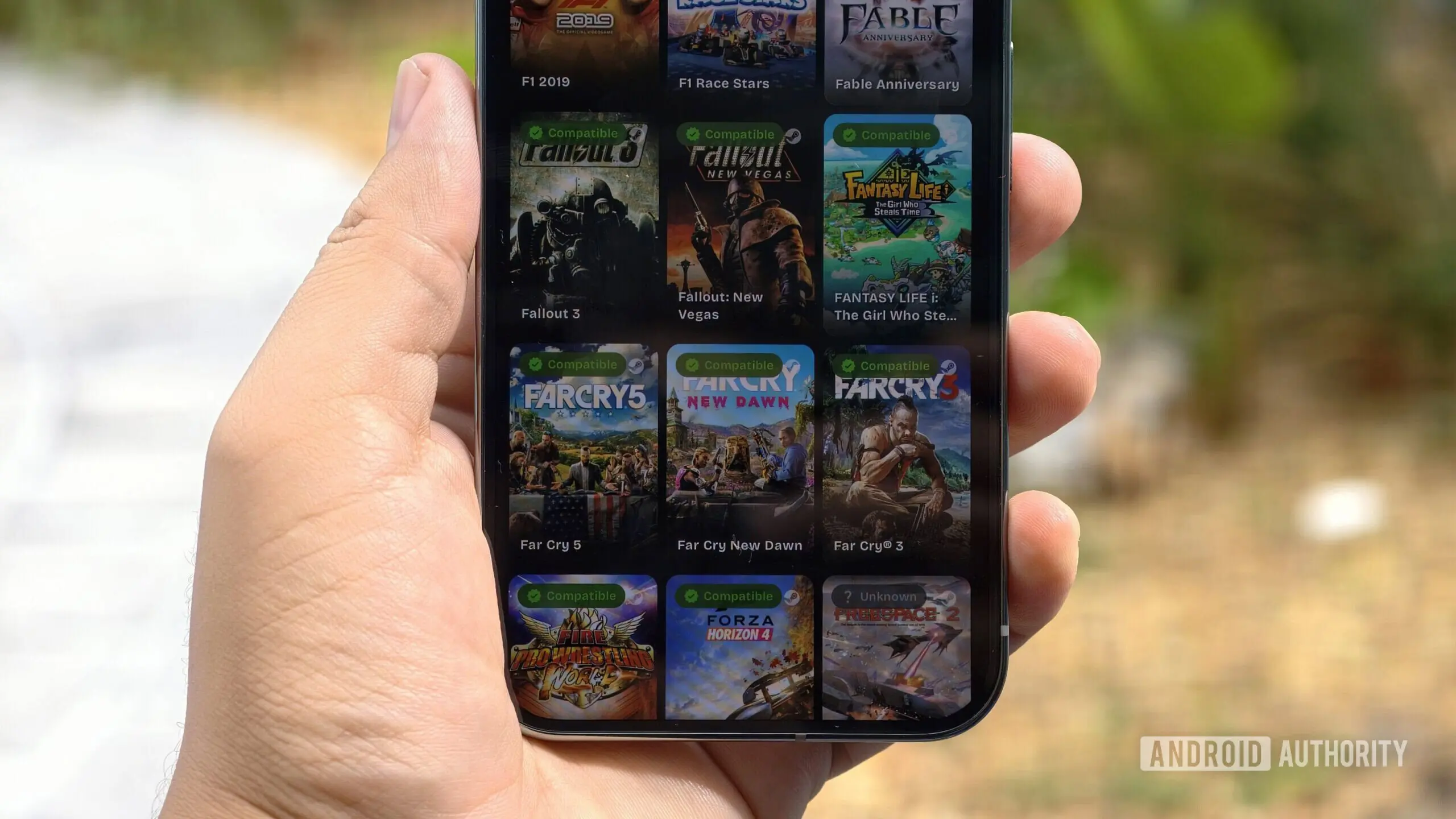
A Game-Changer for Android Gamers
If you enjoy playing PC games on your Android phone, chances are you’ve heard of GameNative. It’s an impressive, relatively new app, but it’s been getting regular updates. Now, a new GameNative update has made it an even better choice for fans of PC games. The latest pre-release, version 1.1.1, introduces native support for Nexus Mods, one of the largest and most active modding communities in the world.
The Power of Modding on Mobile
Modding has been a cornerstone of PC gaming culture for decades. From simple texture swaps to complete overhauls like the famous Skyrim mod “Enderal,” the ability to customize and extend games is what keeps many titles alive long after their release. Nexus Mods hosts over 10 billion downloads of mods for more than 4,000 games, making it an essential resource for players. Prior to this update, Android emulator users had to manually sideload mod files into games, a process that was often clunky and error-prone. With GameNative’s deep integration, users can now browse, download, and manage mods directly from the app, with full support for mod collections and per-game profiles.
Key Features of the v1.1.1 Pre-Release
- Nexus Mods Integration: Import mod files or entire collections; sign in with your Nexus account for seamless download management (pause/resume).
- Multi-Controller Support: Up to four controllers can be connected simultaneously, with hot-swap capabilities, ideal for local multiplayer games like Overcooked or Tekken.
- Improved Controller UI: The layout editor now uses Xbox-style labels for shoulder buttons, and visibility has been enhanced for easier customization.
- GOG Recommendations Tab: A new Explore page section powered by GOG (Good Old Games) suggests titles based on your interests and library.
- Steam Collections Support: Users can now import and manage entire Steam game collections.
- UI Polish: An animated focus ring around selected UI elements improves navigation on Android TV and handheld consoles.
What Makes GameNative Stand Out?
GameNative is a relative newcomer to the Android emulation scene, but it has quickly gained a loyal following. Unlike traditional emulators such as Winlator or ExaGear, GameNative is built from the ground up for Android’s Arm architecture, translating x86/x64 Windows instructions at near-native speeds. It leverages technologies like Vulkan, OpenGL, and DXVK for graphics, and supports games from Steam, GOG, Epic Games Store, and now, modded versions from Nexus. The developer, Utkarsh Dalal, has emphasized performance and ease of use, making the emulator accessible even to users without deep technical knowledge.
The State of PC Emulation on Android
PC game emulation on mobile devices has come a long way since the early days of Wine-based solutions. The first usable Android emulators appeared around 2020, but they were limited to older DirectX 9 games and required extensive manual configuration. Today, thanks to projects like Box86/Box64, Wine, and Turnip, modern Android phones can run titles like Skyrim Special Edition, Fallout 4, and even Cyberpunk 2077, though at lower settings. GameNative differentiates itself by offering a curated experience with built-in game databases, automatic graphics presets, and cloud saves.
How Modding Enhances the Mobile Gaming Experience
Mods can dramatically change how a game feels on a small screen. For example, the popular Skyrim mod “SkyUI” makes inventory management easier with touch-friendly menus, while “CBBE” adjusts character models for better visibility on high-DPI screens. Other mods fix bugs, add quality-of-life features, or improve performance on limited hardware. With GameNative’s per-game profile system, players can have different sets of mods for different playthroughs without fear of conflicts.
Technical Details and Installation
To use the new Nexus integration, users need to download the GameNative v1.1.1-prerelease APK from the project’s GitHub release page. After installation, the app will prompt users to sign in to their Nexus Mods account. Once authenticated, the built-in mod browser can be accessed from the game details screen. Mods can be added to a “download queue,” which respects the Nexus API’s rate limits and supports resuming interrupted downloads. Installed mods appear in a dedicated manager where they can be enabled or disabled per game. This update also brings improvements to the underlying Wine environment, increasing compatibility with mod launchers that use .NET frameworks.
Expanding the Game Library with Community Curation
The addition of GOG-powered recommendations means users can discover new games to try. GOG’s catalog focuses on DRM-free titles, which integrate more seamlessly with emulation. The recommendations algorithm takes into account the user’s current library and playtime, suggesting similar games available on GOG. This feature not only helps users find hidden gems but also supports game developers who rely on the platform for distribution.
Performance and Stability Improvements
Version 1.1.1 also includes under-the-hood optimizations: improved CPU scheduling for Snapdragon 8 Gen 3 chipsets, better memory handling for 12GB+ devices, and reduced stuttering in titles that use Unreal Engine 4. The animated focus ring doubles as a visual indicator of controller input lag, making it easier for users to spot performance issues. The developers have also fixed several crashes related to mod installations with special characters in file names.
Looking Ahead: The Future of Mobile PC Emulation
With Nexus Mods support, GameNative has taken a bold step toward making mobile devices a viable platform for modded PC gaming. The emulation community is already experimenting with mods that were previously impossible to bring to Android due to missing libraries or complex installations. As the Android hardware becomes more powerful—especially with the upcoming Arm-based chips that rival entry-level desktops—the line between PC and mobile gaming continues to blur. GameNative’s commitment to open-source development and regular updates ensures it will remain at the forefront of this movement.
For now, users can enjoy modded Skyrim on a phone, play four-player local matches with friends, and discover new games through GOG’s suggestions. The era of truly portable PC gaming is here, and GameNative is leading the charge.
Source: Android Authority News