

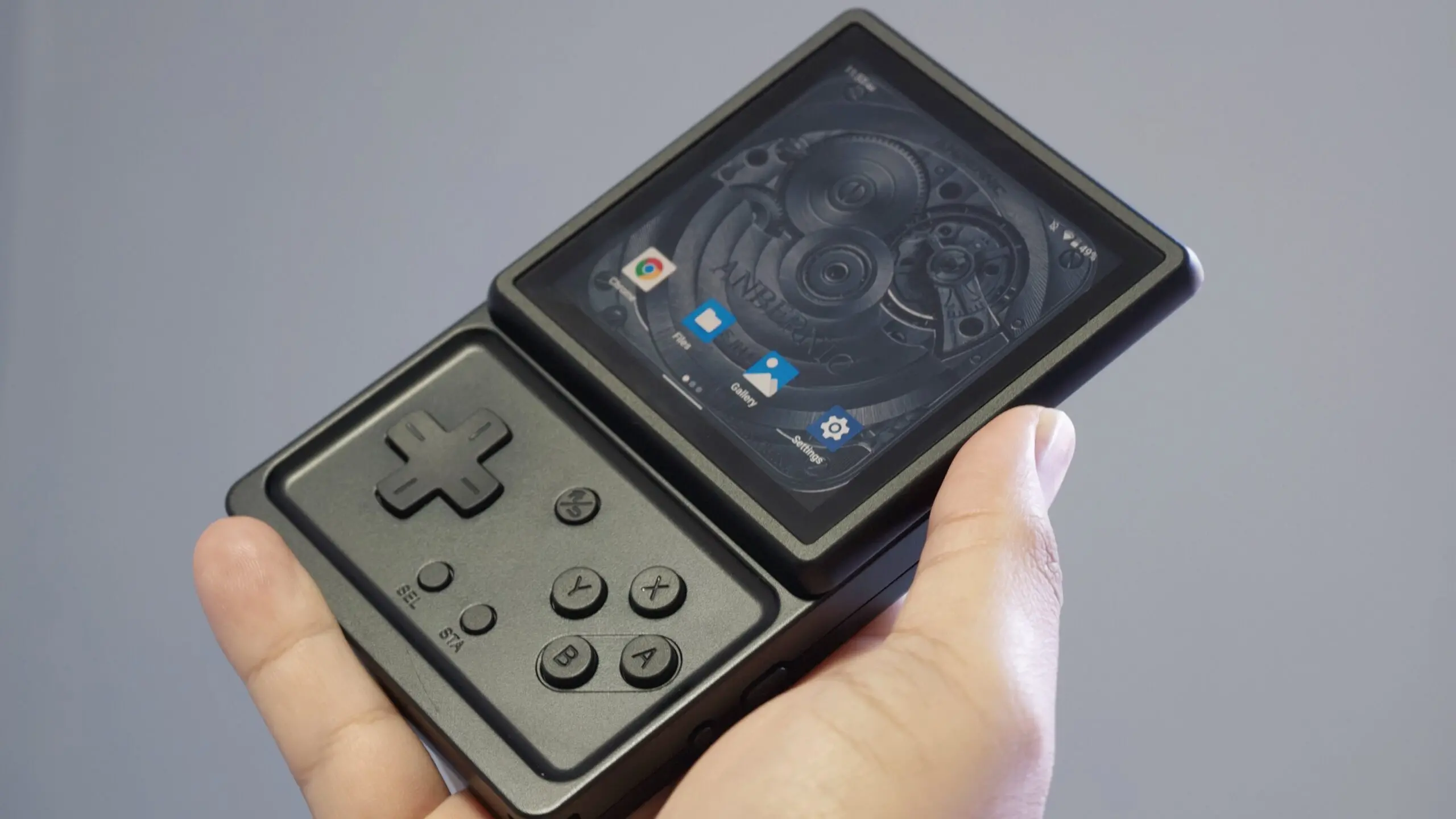
Anbernic continues to refine its handheld gaming devices with a fresh software update for the RG Rotate. This latest release brings a suite of customization options centered around the lock screen, allowing users to design their own analog clock faces. The update, recently highlighted by community sources, marks a significant step in personalizing the device for retro gaming enthusiasts who value both aesthetics and functionality.
What's New in the Update
The most notable addition is the ability to create custom clock faces for the lock screen. Users can now replace the default clock with a design of their own making. The process is straightforward: all you need are image files for the clock background and the three hands (hour, minute, second). These images must be placed in a dedicated folder named customize_clock within the internal storage. Anbernic has specified that the files should be named clock_background, clock_hour, clock_minute, and clock_second, each in a supported image format. While the company hasn't listed exact resolution requirements, early adopters suggest using transparent PNGs for the hands to ensure they overlay correctly on the background.
In addition to custom creations, the update includes several pre-built clock faces. These are simple, functional designs that give users immediate variety. However, the real appeal lies in the DIY approach, which allows for infinite personalization—from retro game sprites to minimalistic modern aesthetics.
Lock Screen Enhancements
Beyond clock faces, the update adds a toggle to hide the status bar on the lock screen. This feature lets users showcase their new clock designs without cluttered icons for battery, Wi-Fi, and system notifications. It's a minor but thoughtful touch that enhances the clean, dedicated feel of the device when it's in 'watch mode'. The RG Rotate, which doubles as a portable retro gaming console and a wearable-like device, benefits from this streamlined interface.
Step-by-Step Guide to Creating Your Own Clock Face
Based on the information released, the following steps outline how to implement a custom clock face on the RG Rotate:
- Prepare your images. Create or source a background image and separate images for the hour, minute, and second hands. Use transparent backgrounds for the hands so they rotate without obscuring each other. The ideal size is likely the screen resolution of the RG Rotate, which is a 1.28-inch round display.
- Name your files correctly. The update expects four specific filenames:
clock_background,clock_hour,clock_minute, andclock_second. Use a common image format like PNG or JPEG. - Create the folder. Navigate to the internal storage of the RG Rotate and create a new folder named
customize_clock. - Copy your images. Place all four image files into this folder. Ensure no extra files or subfolders are present.
- Reboot or refresh. After placing the files, reboot the device or toggle the lock screen setting to see your new design appear.
The simplicity of this system makes it accessible even to users with basic computer skills. There's no need for proprietary software or complex configuration files. However, note that the background image must include indices (hour marks) if you want them visible; the example shared by a community member—a Pikachu sprite from Pokémon Red and Blue—lacked indices, so users should add those manually in the clock_background image if desired.
The RG Rotate in Context
The Anbernic RG Rotate is a unique addition to the growing market of retro gaming handhelds. Unlike traditional clamshell or slate designs, the RG Rotate features a round screen that mimics the aesthetic of a smartwatch. It runs a dedicated Linux-based operating system optimized for emulating classic consoles from the NES to the PlayStation era. The device's form factor makes it exceptionally portable, and the new clock customization reinforces its dual identity as both a gaming machine and a quirky everyday accessory.
Anbernic has built a reputation for releasing frequent software updates that add community-requested features. This update continues that trend, addressing a desire for deeper personalization that many retro enthusiasts enjoy. In a market saturated with clamshell and vertical handhelds, the RG Rotate stands out due to its circular display and the ability to function as a standalone clock when not in use.
Community Response and Future Potential
Early reactions from forums and social media have been positive, with users sharing mockups of their custom faces. The ability to use game sprites, artwork, or minimalist designs adds a layer of creativity that extends the device's lifespan. Some have speculated that future updates might include support for digital clock faces, animated backgrounds, or even integrated weather widgets.
The Pikachu example serves as an inspiration for many. By providing image files, community members can quickly share and adapt designs. This grassroots approach to customization could lead to a repository of user-created content, further enriching the ecosystem.
Technical Considerations and Quality
When creating a custom clock face, image quality matters. The RG Rotate's display is small but relatively high resolution for its size, so pixelated images may appear blurry. Users should craft or resize images to match the display's dimensions—typically 240x240 pixels for round screens of this class. Transparent PNGs for the hands must be perfectly aligned so that the pivot point (center of rotation) matches the center of the background. Misalignment will result in hands that don't point to the correct positions.
Anbernic has not released a formal tool for this, which means users rely on third-party image editors like Photoshop, GIMP, or even online editors. The lack of indices on pre-built faces suggests a learning curve for newcomers. However, the community is quick to share templates, so help is readily available.
Comparison to Other Handhelds
Other retro gaming handhelds—such as the Miyoo Mini, Retroid Pocket, or Anbernic's own RG35XX series—offer lock screen customization? Usually not. Most devices focus solely on game performance and emulation settings. The RG Rotate's watch-like form factor naturally lends itself to clock functionality, but the level of customization goes beyond what competitors provide. This gives the RG Rotate a unique selling point: it's not just a gaming device but a personalized wearable-like gadget.
The update also reflects a broader trend in the retro gaming community: the desire for devices that serve multiple purposes. Many users want their handheld to double as a digital photo frame, music player, or clock while on a desk. Anbernic, by listening to this demand, strengthens customer loyalty.
Performance and Stability
With any software update, performance remains a key concern. Initial reports indicate no major bugs or stability issues. The custom clock feature operates smoothly, with no noticeable impact on battery life beyond the standard display usage. The hide-status-bar feature works reliably, and the pre-built faces display correctly. As with any custom image loading, there is a slight delay when applying a new face for the first time, but subsequent boots load it instantly.
Anbernic has also included minor system optimizations in the update, improving overall responsiveness and fixing a few previously reported glitches in the UI. Users are encouraged to update via the built-in OTA system or by downloading the firmware from the official website.
In summary, this update is a welcome addition for RG Rotate owners. It demonstrates Anbernic's commitment to enhancing the user experience through thoughtful, community-driven features. The ability to create custom lock screen clocks adds a new dimension to what is already a charming device. While the lack of a dedicated desktop app might deter less tech-savvy users, the straightforward file-based approach makes it accessible to almost anyone willing to try. As more users share their creations, the RG Rotate's lock screen is likely to become a canvas for retro-inspired art and personal expression.
Source: Android Authority News